Tinkering with e-ink
For a long time I avoided e-ink devices. E Ink Corporation effectively holds a monopoly on eletrophoretic e-ink technology, and that has kept panel prices high. When combined with very slow refresh rates, e-ink devices are unitaskers like eBook readers, yet priced the same as versatile devices like tablets with much better display quality. Unlike some, I also find I prefer reading on LCD or OLED screens than e-ink. The sole saving grace of the technology is the display does not need to be powered on, which can lead to devices with outstanding battery life measured in weeks.
I have recently softened my stance and now own three e-ink devices:
- PocketBook Verse e-reader. Unlike, say, a Kindle, it is not locked in to a content provide, and has a microSD card reader for expansion (I have 180GB of eBooks, more than most e-readers can handle), and it is fairly inexpensive (I paid £105 for mine).
- A M5Stack Paper S3. There is currently a fad for the Xteink X4, but this device is superior: it’s open to custom firmware without having to pay a premium for a Developer Edition (I installed a community build of CrossPoint Reader, but TRMNL is available) and has a touchscreen.
- A Seeed Studio reTerminal E1002. This has a 7.3" Spectra 6 display that can display in six colors (black, white, red, yellow, blue and green), has a batter life measured in weeks because it only wakes up every half hour or so to fetch updates and sleeps in a very low-power state in-between
The e-readers are fairly nondescript. I wanted to see why people rave about the benefits of e-ink for reading, and am not convinced, I still find reading on a phone or iPad or Google Pixel Tab (with GrapheneOS, of course) a much more pleasant reading experience.
The E1002 is a more interesting device. I’ve wanted for a while to have a dashboard at the entrance with weather and transit data so I can avoid specific Tube lines if they are out of service. There isn’t any conveniently located plug nearby so using an old tablet is not an option. I learned a few months ago about TRMNL, who make devices that would fit the bill, but the E1002 has the advantage of a color, not monochrome display, so I sprung the £100 or so for it on AliExpress.
Seeed Studio offer a low-code environment called SenseCraft HMI, but it is too simplistic for my needs, and more importantly, it is cloud-dependent, which is simply not acceptable. The E1002 ships with reTerminal firmware tied to SenseCraft HMI, but they also offer a TRMNL-compatible firmware. TRMNL is also cloud-based, and they want you to pay a one-time $50 fee for the privilege of using a non-TRMNL device, but they do support running a custom server instead, so I vibe-coded one gTRMNL, that basically fetches a web page, renders it using an embedded Chromium browser and dithers it onto the 6 colors of the display using the Floyd-Steinberg algorithm. I also vibe-coded a simple dashboard in PHP to display the basic data I am interested in:
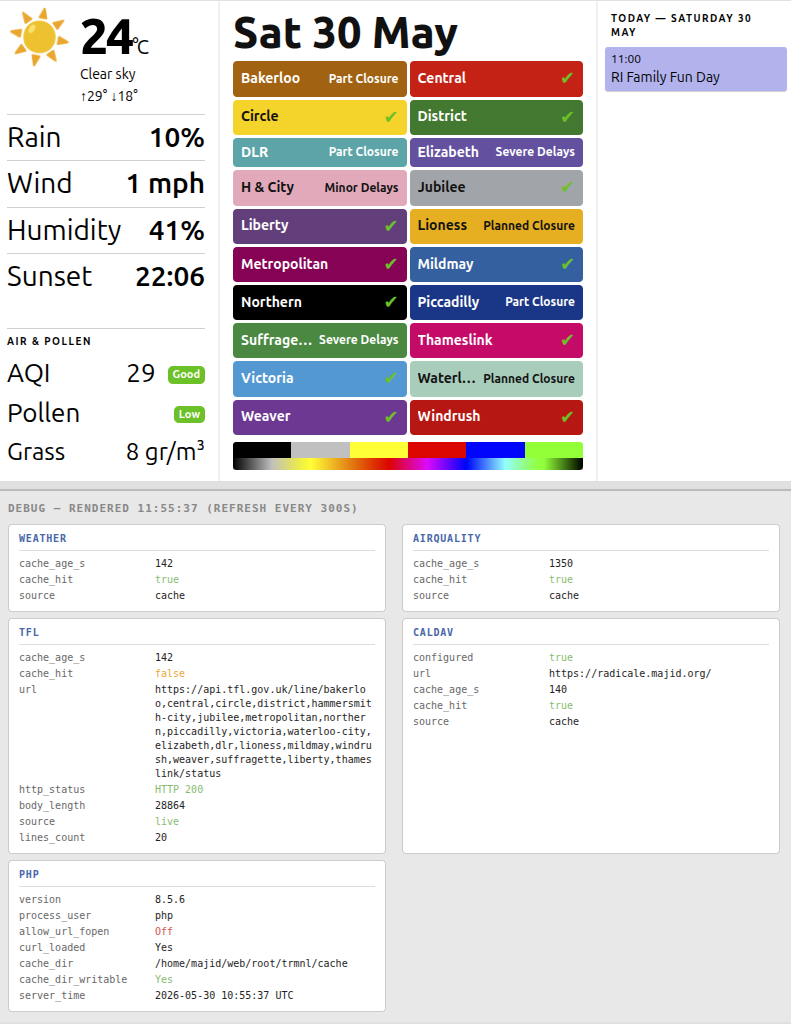
and after dithering it would look like this:
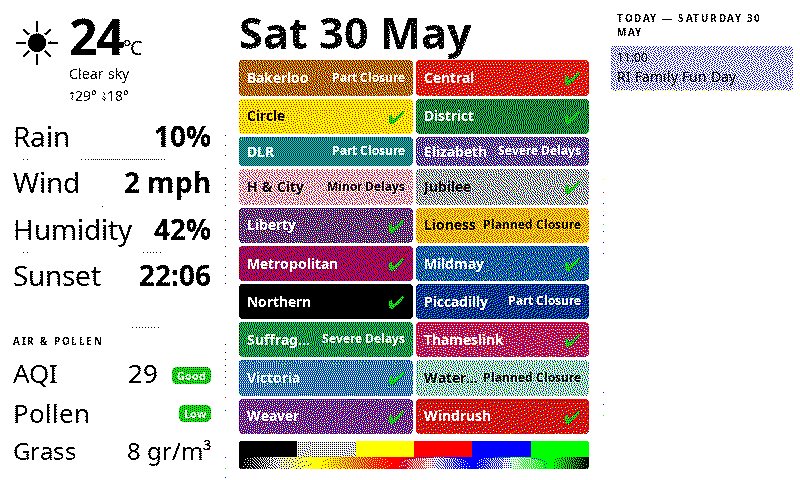
Unfortunately, when I reflashed with the Seeed TRMNL firmware 1.6.7, I was not getting all the colors. Green was turned to blue, blue was turned to black, yellow was turned to red. I tried installing TRMNL upstream firmware 1.7.7, and go similar results, except this time blue was turned into white, and green into yellow. I found a GitHub issue describing the problem, but no solution.
Long story short, I spent the afternoon identifying the root cause of the problem, which was that Seeed Studio had started implementing support for the E1002 in the TRMNL firmware, but hadn’t gotten around to implementing 6 colors support and were using only 4 colors as TRMNL does have a device with a 4-color screen. With assistance from Claude, I spent the afternoon implementing a fix and now it works perfectly:
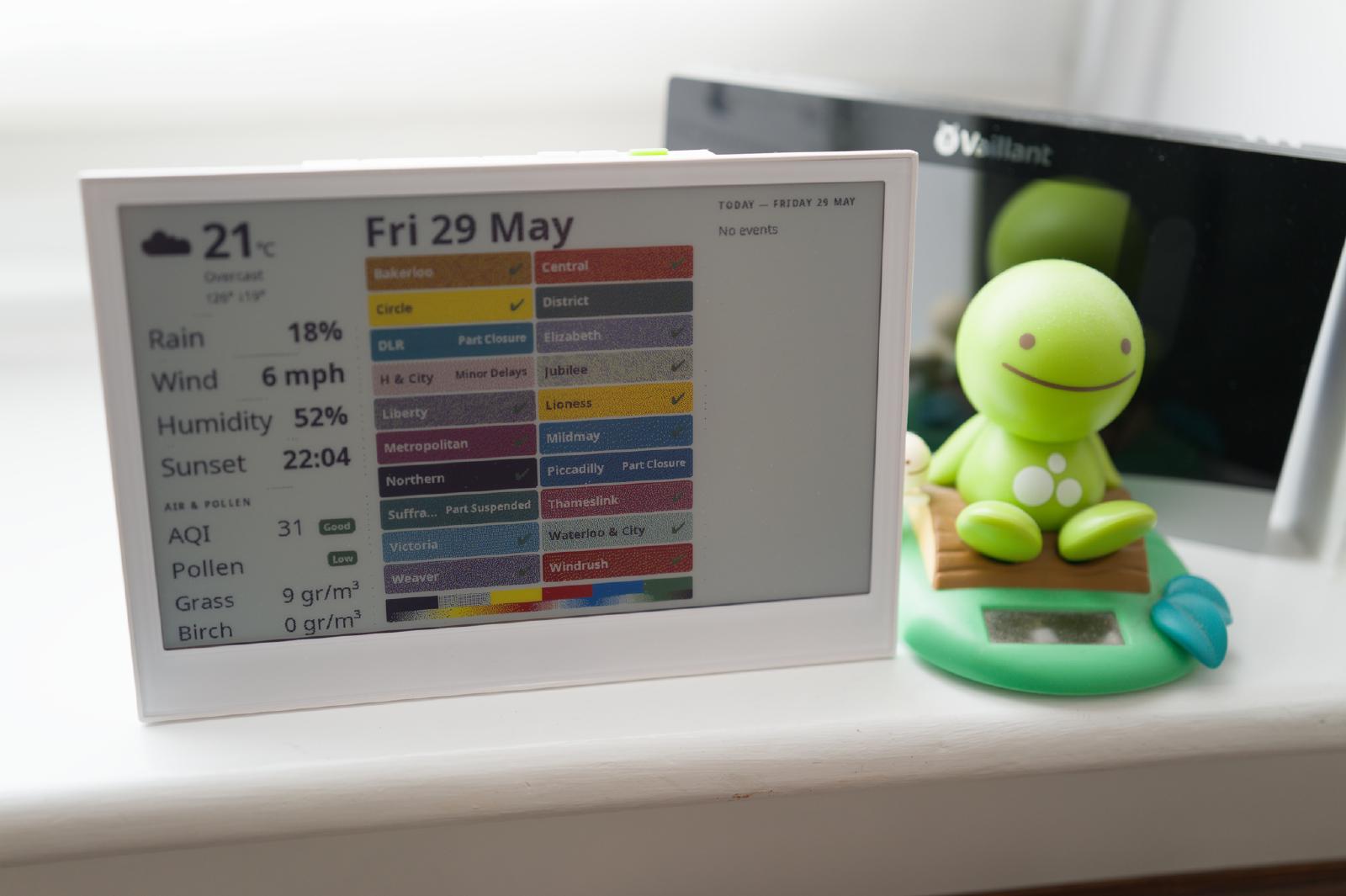
The dithering makes for fuzzy text, and at some point in my copious spare time I will write a dedicated dashboard that generates the PNG directly without using a browser so I can control the colors and dithering, but it’s perfectly usable for now.